🎃 Halloween deal – save €40 now

Spickboy™ with built-in Spickmodus

Spickboy™

Built-in Spickmodus – Open your own text notes, images and saved videos right on the device.
Calculator design – Looks like a calculator. Switch between Spickmodus and calculation mode using the device buttons.
Privacy display – Helps reduce side views of your content. Visibility depends on viewing angle and lighting.
4 GB Speicher für deine Lösungen – Platz für Tausende Notizen und Bilder! Übertrage ganze Sammlungen mit Lernstoff und Aufgabenlösungen.
  • €149,99
Save €40
109,99 € 149,99 €

Halloween deal – €40 is automatically deducted in the cart and checkout.

PayPalKlarnaAmerican Express Apple Pay BLIKMaestroMastercard MobilePayUnion PayVisa
In stock – delivered to you for free in 3–5 business days

Description

YOUR SPICKBOY. YOUR CONTENT.

So much to cover. So little time. Your Spickmodus.

You know the feeling: topics pile up, notes end up everywhere, and you want to feel in control again.

Your digital study notes belong on your Spickboy™, not in a mess. Text notes, images and saved videos. Prepare them yourself. Transfer your content directly from your computer to Spickboy™ and open it on the device.

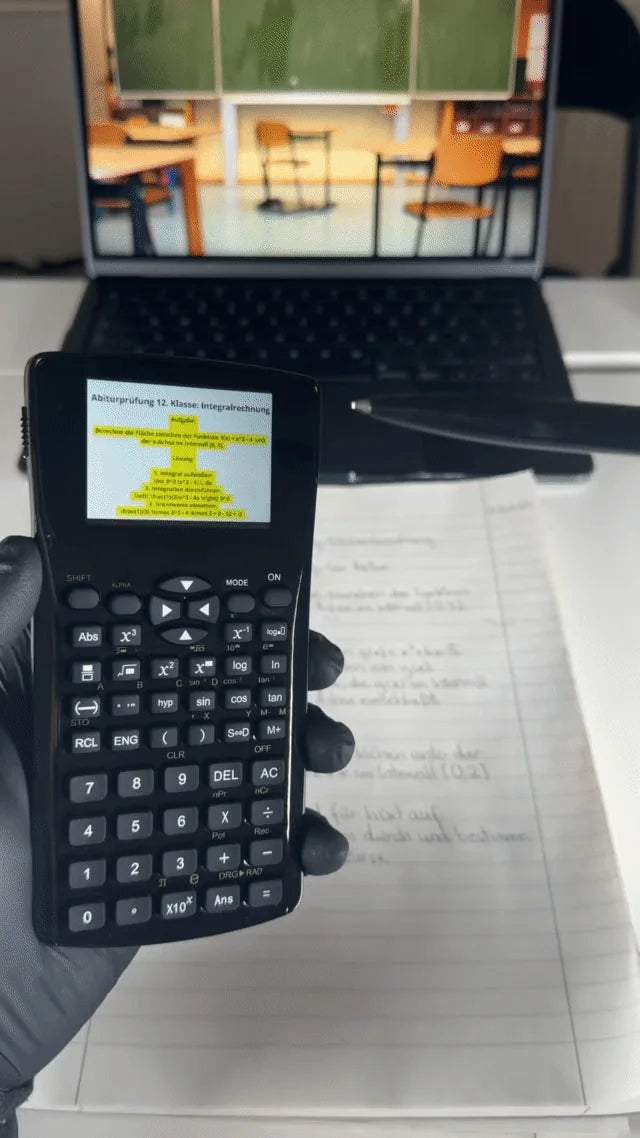
Original footage of Spickboy displaying an image
Personal image content on the display
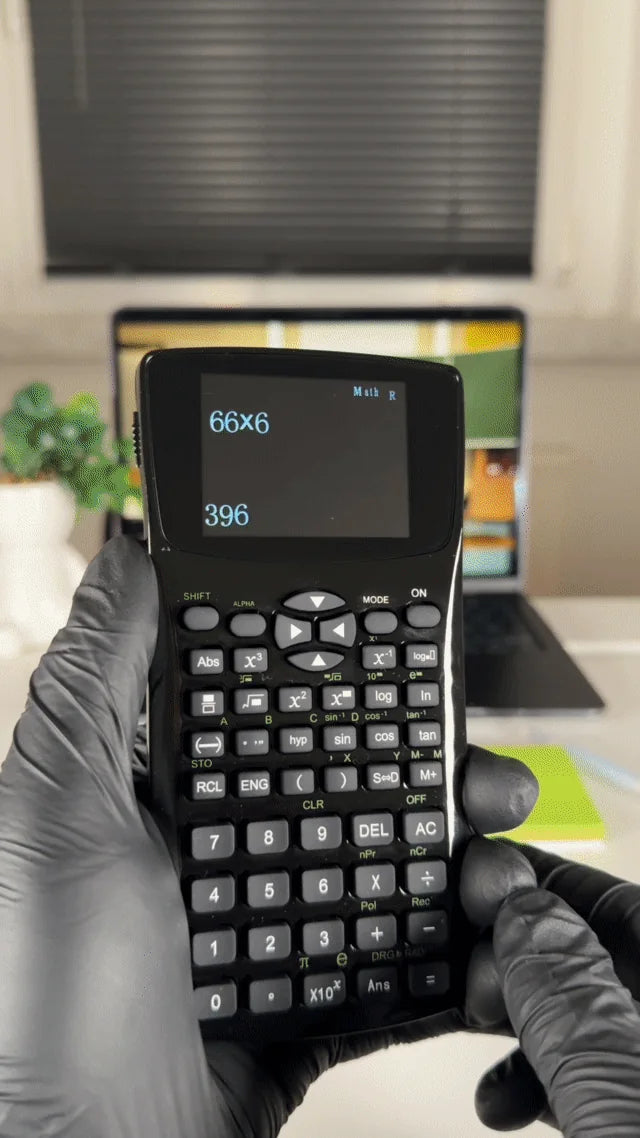
Original footage of the same Spickboy in calculation mode
Back in calculation mode
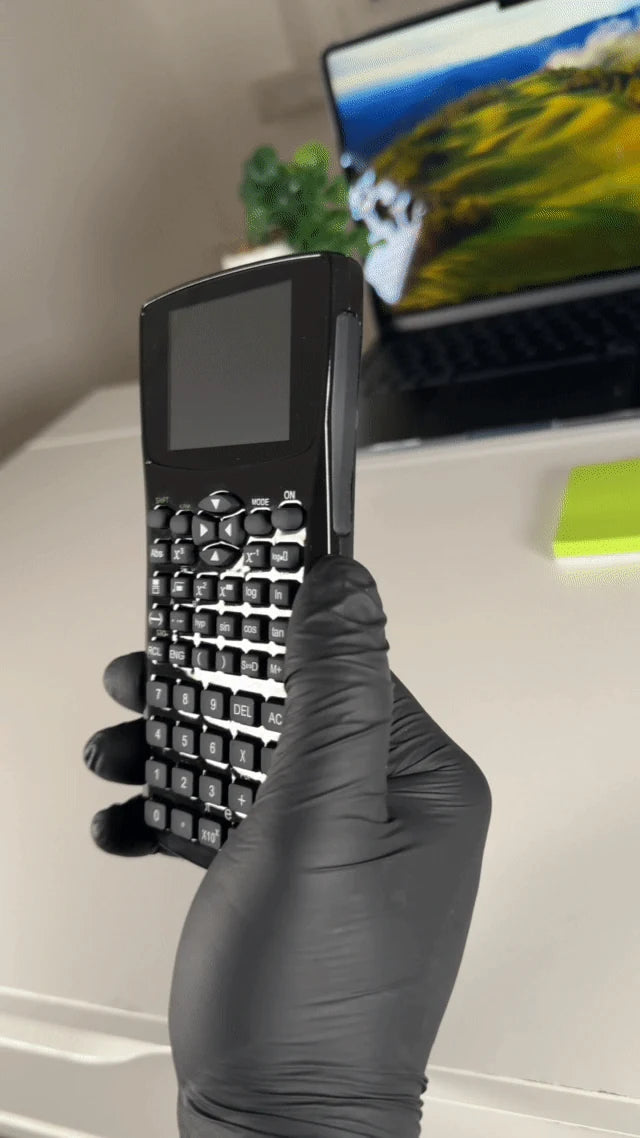
Spickboy display viewed from the side
30° Black-Screen privacy filterSpickboy™ has a built-in 30° Black-Screen privacy filter. In Spickmodus, the display appears black when viewed from the side. You can adjust the dimming level from 0 to 100%.
REAL DEVICE. REAL FOOTAGE.

See Spickmodus on the actual device.

Original footage of Spickboy™ in image and calculation modes.

Spickmodus is built in.

Your saved content has its own area on the device. Calculation mode remains separately accessible.

Into Spickmodus. Back to calculations.

Switch using the device buttons. Try the sequence on your own Spickboy before using it.

Show / hide the original demo
Original footage of Spickboy displaying an image

Original footage showing image and calculation views. Click the heading again to hide the animation.

YOUR CONTENT COMES FIRST.

Study notes do not have to stay on paper.

Images for an overview. Text for longer notes. Video when you want to see a process.

IMAGES + ZOOM

Your formulas. In an image.

View your own images on the device and zoom in using the photo viewer to look at particular details.

For compact formulas, short solutions and study notes: create them in Canva, for example, and organise multiple images by topic.

TEXT NOTES

Room for more than a quick note.

Save definitions, bullet points and longer notes as text files. Open them directly on the device in E-Book mode.

For longer text collections: prepare your own files by topic and read them in E-Book mode.

SAVED VIDEOS

Do not just read it. Watch it.

Play your own saved videos and media content directly on Spickboy™. Transfer your videos to the device and adjust the volume to suit you.

Whether it’s clear video explanations or entertainment – you can watch your video content directly on Spickboy™.

FROM COMPUTER TO CALCULATOR.

Your Spickmodus. Your files.

  1. Prepare

    Prepare your images, notes and compatible videos.

  2. Connect & transfer

    Connect your Spickboy™ to your computer using the supplied cable and transfer your files directly to the device.

  3. Open & check

    Open your content on Spickboy™, check it and arrange it in the order that works for you.

Files & setup: quick answers

What can I prepare?

Images: Easily create your own digital images with formulas, overviews or notes, for example in Canva, and transfer them to your Spickboy™.

Text: Store and read even extensive text collections and study notes in E-Book mode.

Videos: Transfer compatible videos to your Spickboy™ and watch educational videos or entertainment directly on the device.

How do I find my content again?

Give your content short, clear names or numbers. This makes it especially easy to find your notes, images and solutions on Spickboy™.

Who can help me set it up?

The manual covers the first steps. Still have questions? Email our Spickboy support team at support@spickboy.com. Especially before an important exam, we know how much a quick answer can matter. We do our best to help you feel prepared and use your Spickboy confidently.

THERE IS MORE INSIDE.

Your calculator has more to offer.

Four more functions, explained briefly when you want the details.

Rechargeable batteryCharge via USB

To charge your Spickboy™, simply connect it to your computer using the supplied cable. Fully charge it beforehand and keep an eye on the battery level.

Display viewing angleCheck the side view

The built-in 30° Black-Screen privacy filter dims side views of your display. You can adjust the dimming level from 0 to 100%.

Show / hide the original side-view footage
Original footage of the Spickboy side view
Music playerPlay saved music

Your music does not have to stay on your phone! Simply transfer your music or audio files to Spickboy™ and play them directly on the device.

Personal voice notesCapture a thought

Record your own voice notes, save them directly on Spickboy™ and play them back.

Features at a glance
  • 🔐 Hidden Spickmodus
  • 🔋 Rechargeable battery – 6–8 hours of battery life
  • 🕶️ 30° Black-Screen privacy filter
  • ⚡ Lightning-fast switching between Spickmodus and calculation mode
  • 🔎 Zoomable image viewer
  • 📁 Easy file transfer from your computer
  • 🎬 Offline streaming – play saved educational videos and entertainment without the internet
  • 🎙️ Record your own voice notes
  • 🎵 Music player
  • 📚 E-Book mode – store and read extensive text collections
  • 💾 4 GB internal storage – room for thousands of notes and images

The difference? Built-in Spickmodus.

Your study notes, images and videos. Right on your calculator.

Spickboy™ / Classic school calculator
Classic school calculator
SpickmodusBuilt right in.No Spickmodus.
Digital study notesStore and access your own notes, study sheets and extensive learning materials.No import of your own text files.
View images & study sheetsOpen your own study images directly on the display – at the touch of a button.No personal image files.
Transfer files directly from your computerTransfer your own content from your computer to Spickboy™.No media import.
Play videosWatch full-length educational videos or enjoy entertainment directly on your Spickboy™.No video playback.

Ready for your own Spickmodus?

Your study notes. Your images. Your Spickboy™. Take another look at the device and the current offer above.

Manufacturer: Spickboy™ Technik

Address: Groninger Straße 28, 13347 Berlin, Germany (not a return address)

Contact: support@spickboy.com

Serial number: SPB2025-12-9384

This product meets the highest safety standards in accordance with the EU General Product Safety Regulation (GPSR). It has been developed and tested under strict quality controls to ensure safe use.

Important notes:

• Keep the device away from water and other liquids.

• Protect the device from direct heat or fire.

• Use only the provided USB cable.

• Do not open or modify the device yourself.

Certifications:

• CE

• RoHS

• WEEE

Warranty:

Spickboy™ Technik guarantees compliance with all European safety standards and provides you with a tested, safe product.

Frequently Asked Questions

Whether you may use Spickboy™ in an exam depends on the applicable rules on permitted aids. Its appearance does not make it an approved device. Only use stored content where the exam rules allow it.

Check the rules on permitted aids. Spickmodus stores your own content, but does not guarantee permission to use it or any particular exam result.

The display helps reduce side views. How visible your content is depends on the angle, lighting and settings. Complete invisibility is not guaranteed.

Connect Spickboy™ to your computer using the supplied USB cable. Copy your files into the appropriate folders on the device. A detailed manual is included with every order.

You can create your own graphics in Canva, for example, and save them as PNG or JPG files. The manual recommends 700 × 500 pixels. Transfer the files via USB and check them on the device.

Yes. Spickboy™ has a separate calculation mode, including basic arithmetic, powers and roots. See the manual for the available functions.

Switch between Spickmodus and calculation mode using the device buttons. Follow the steps in the manual.

Yes, we deliver particularly quickly within Germany, followed by Austria and Switzerland. We specialize in these countries. Customers are automatically informed about their shipping status via email. Customer satisfaction is our top priority.

Yes, that is quite simple. Just write to our customer service at support@spickboy.com, and we will explain the return process to you step by step.